HAScS
macOS 14+ · Apple silicon and IntelYour home scenes. One key away.
A native macOS menu-bar remote for Home Assistant scenes. Open the compact panel, press 1–9, and get back to what you were doing.
Signed with Developer ID and notarized by Apple.
Currently distributed through GitHub Releases.
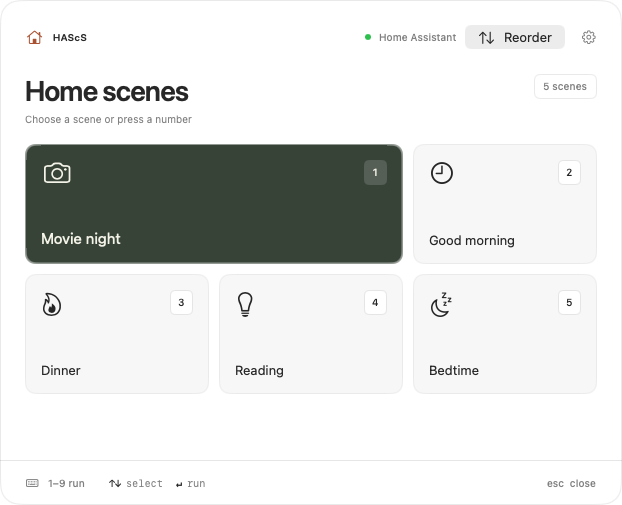
Press a number to run a scene. 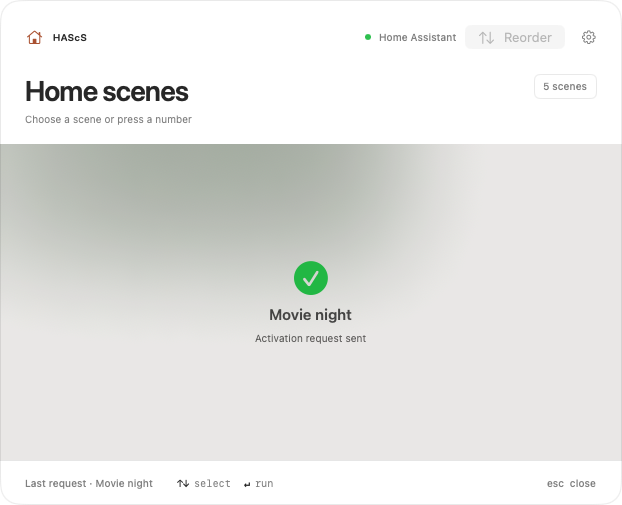
A short confirmation that the request was sent. 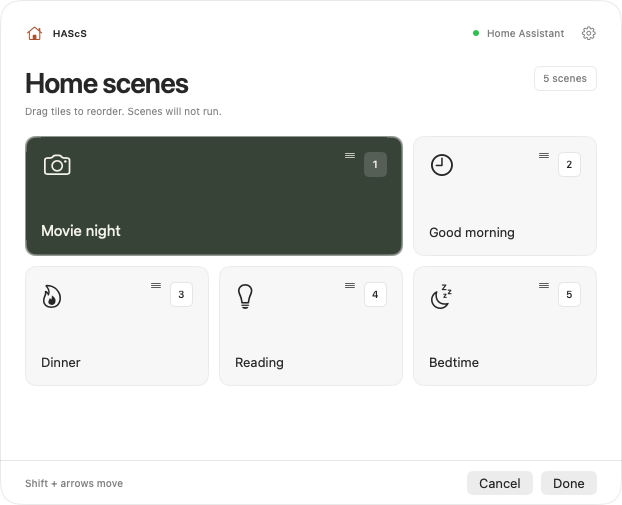
Drag tiles into your own order. 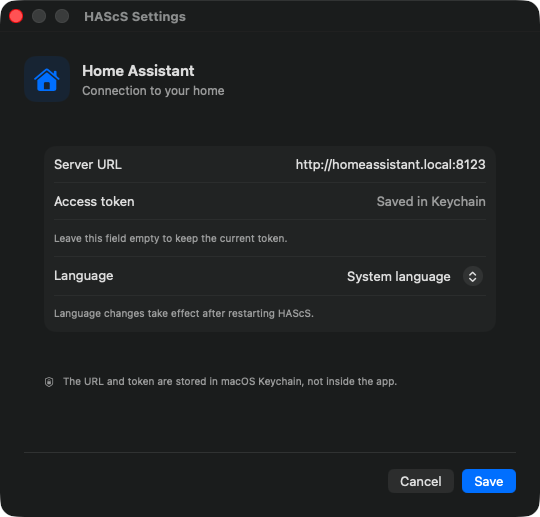
The URL and token stay in Keychain.
A remote in your menu bar
Click the house icon to open the panel on the display containing your pointer.
Made for the keyboard
Keys 1–9 run scenes. Arrows select, Return activates, and Escape closes the panel.
Your order, remembered
Drag scenes or use Shift + arrow keys to reorder them. Saved numbers stay stable across restarts.
Keychain, not a text file
Your Home Assistant URL and token are stored in macOS Keychain. The app supports English, Ukrainian, and Russian.
Quick start
A little setup. Back to your day.
macOS 14+ · Apple silicon and Intel. Requires a configured Home Assistant instance and a long-lived access token. Up to nine scenes. Scene activation affects real devices.
View the latest release ↗01Download and install
Open the latest GitHub release, download the universal ZIP, unzip it, and move HAScS.app to /Applications. Official releases include a SHA-256 checksum.
02Connect Home Assistant
Open HAScS, right-click the house icon, and choose Settings. Enter your Home Assistant URL and long-lived access token. Prefer HTTPS and a dedicated non-administrator HA user.
03Open the remote
Click the house icon to choose a scene. The panel immediately accepts number keys. This command only opens the panel; it does not itself run a scene.
open 'hascs://scenes'Good to know
What’s new in 0.3.4?
Updated Ukrainian and Russian panel hints to use «номер», and moved the scene panel and Settings onto the shared BobukKit 0.5.0 window shell. Scene tiles, shortcuts, reordering, activation and Keychain credentials stay unchanged.
What’s new in 0.3.3?
The footer uses BobukKit, the shared bobuk.io component library, for keyboard hints. Each key stays next to its action. English, Ukrainian and Russian are retained; the scene grid, close button, reordering and activation are unchanged. Replace the app to update; your Keychain connection and saved scene assignments remain.
Do I need Home Assistant?
Yes. HAScS is a remote for scenes in your own Home Assistant instance, not a replacement server. Up to nine scenes are available.
Does a successful request mean every device changed?
No. The confirmation means Home Assistant accepted the request, not that every device reached its final state. Do not use this as a safety-critical controller.
Is it in the App Store?
Not yet. Download the signed and notarized universal build from GitHub Releases. Global hotkeys and launch at login are not implemented yet.