bobuk.io

Independent apps. Public source code.

Less noise. More of your own work.

Small tools that solve a specific problem. Made with respect for your time.
macOS 14+ · Apple silicon and Intel

Find your app

Apps

For your keyboard0.7.19
On your Mac
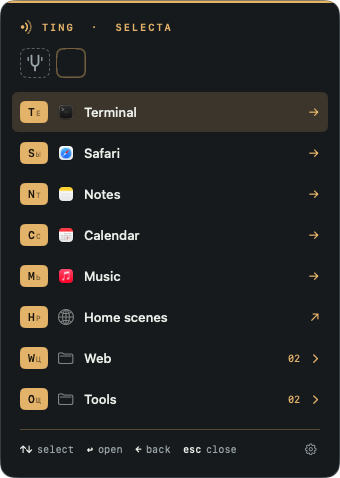
  • Ting selecta menu in the dark theme: keycaps for Terminal, Safari, Notes, Calendar, Music, a Home scenes link, and Web and Tools groups. Each keycap shows the Latin key and the letter of the current keyboard layout.
    Press the leader, then one key.
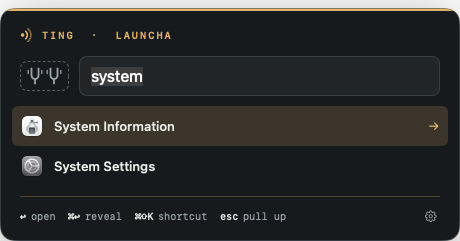
  • Ting launcha search: the query “system” finds System Information and System Settings.
    Double-tap the leader to search apps.
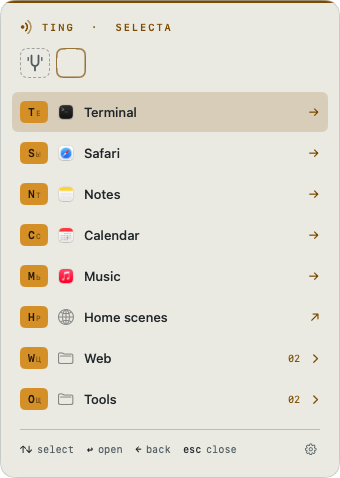
  • The Ting selecta menu in the light theme.
    Light or dark, as you like.
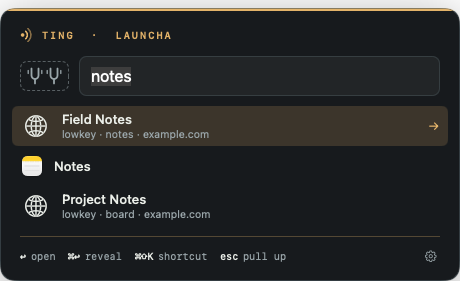
  • Ting launcha with the query notes: demo lowkey sites Field Notes and Project Notes appear alongside the macOS Notes app. Each saved site shows its alias and host.
    Your lowkey sites, alongside apps.
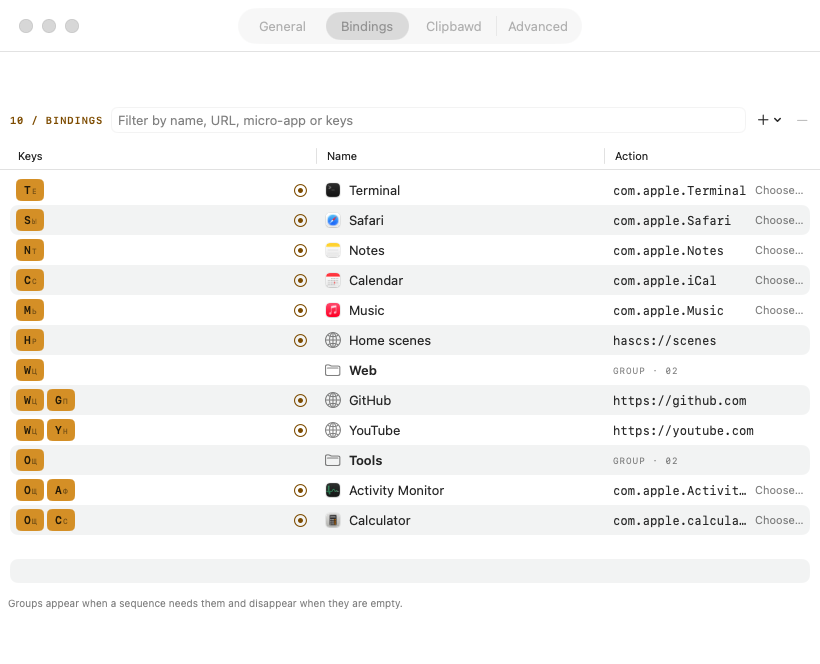
  • Ting Settings, Bindings tab: a table of key sequences, names, and actions, including the Web and Tools groups.
    Every sequence in one table.
For working with AI0.3.17
On your Mac
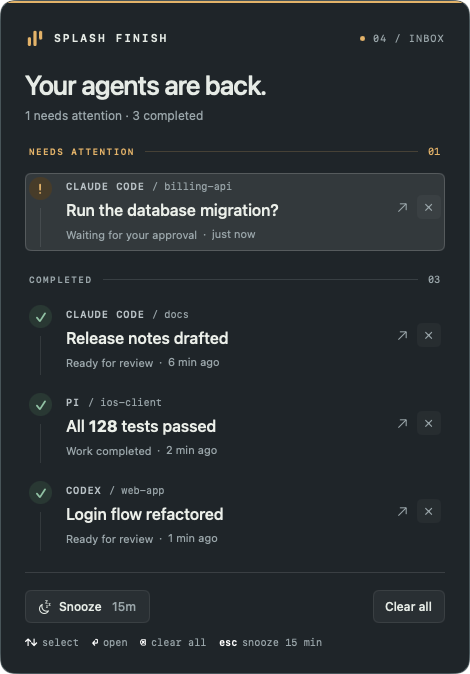
  • Splash Finish inbox in the dark theme: Claude Code asks to approve a database migration; three tasks from Claude Code, pi, and Codex are complete.
    Every agent in one inbox.
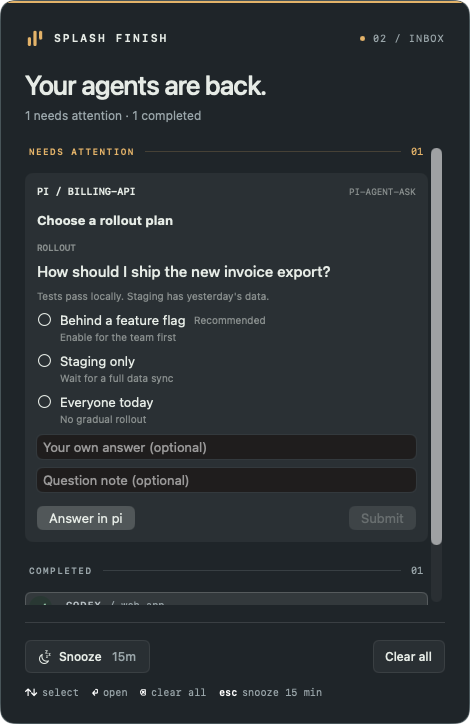
  • A pi question in Splash Finish: choose a rollout plan from three options, with fields for your own answer and a note, and Answer in pi and Submit buttons.
    Answer pi right in the inbox.
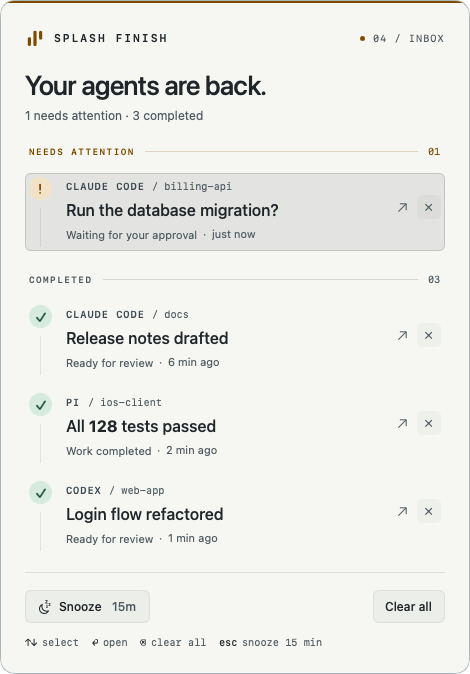
  • The same Splash Finish inbox in the light theme.
    Light theme, if you prefer.
A quieter browser0.1.3
On your Mac
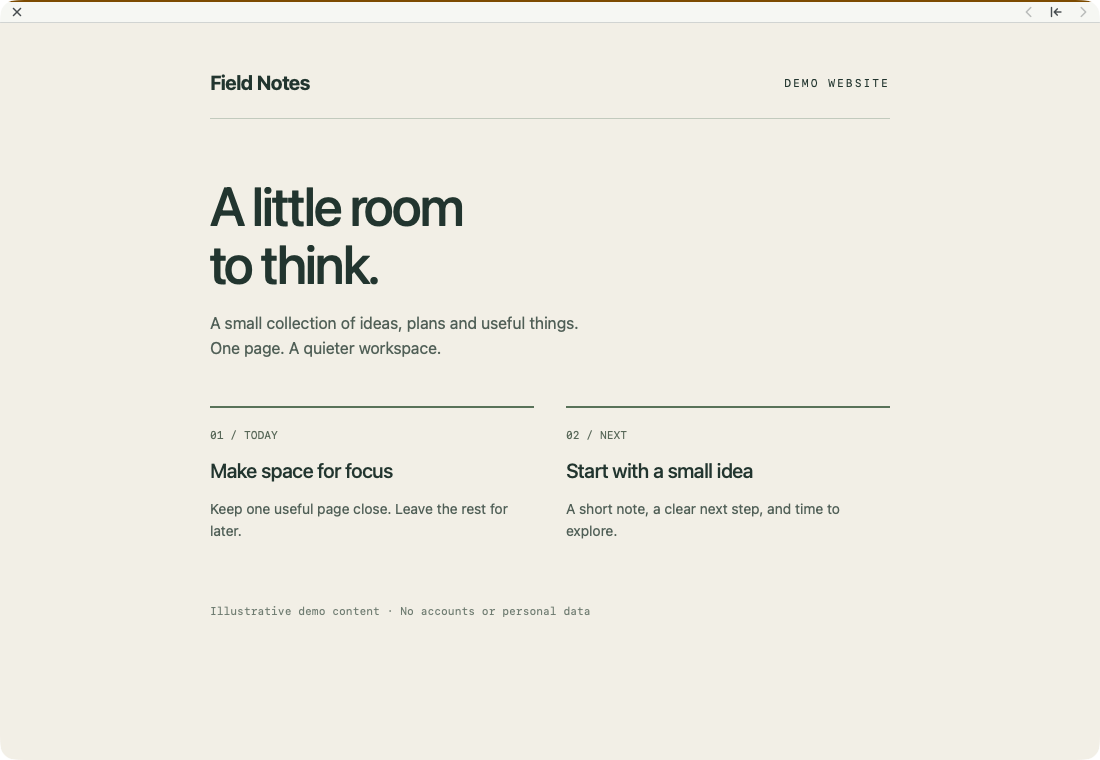
  • A real lowkey window displaying a local Field Notes demo website. A thin strip holds close, back, start page and forward controls; there are no tabs or permanent address bar.
    The page, without the browser clutter.
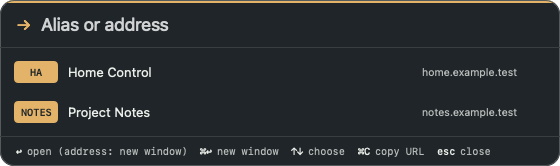
  • The dark address prompt in lowkey lists two configured demo sites. Alias badges share a width, and shortcut hints appear below the list.
    An alias is enough.
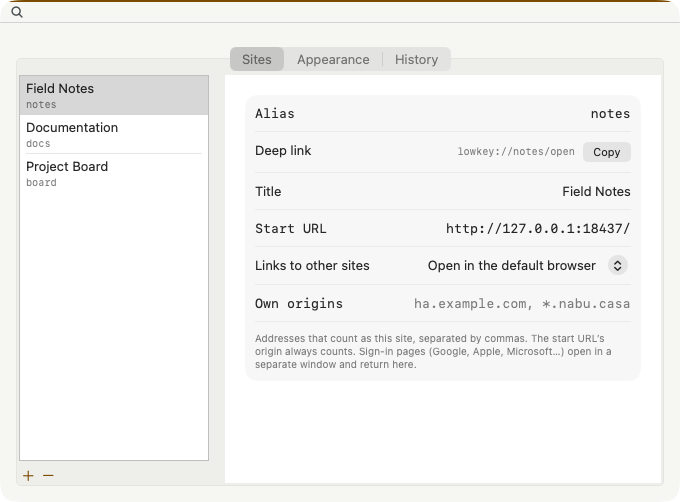
  • lowkey Settings with three demo aliases. Field Notes has an alias, a start URL and a setting to open external links in the default browser.
    Give each site its own profile.
For your home0.3.4
On your Mac
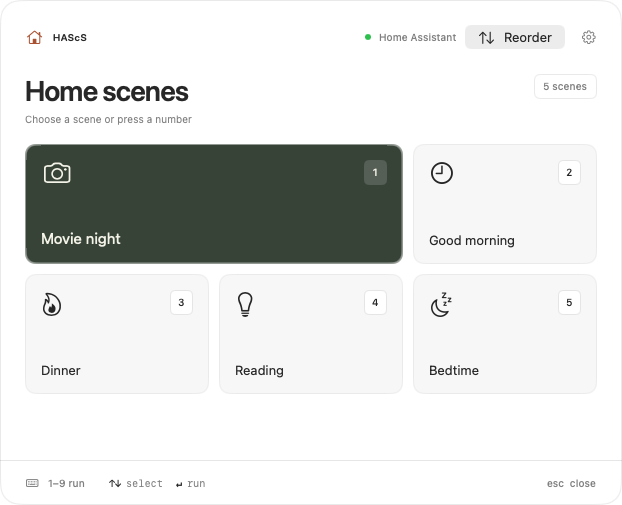
  • HAScS remote with five Home Assistant scenes numbered 1 to 5: Movie night, Good morning, Dinner, Reading, and Bedtime.
    Press a number to run a scene.
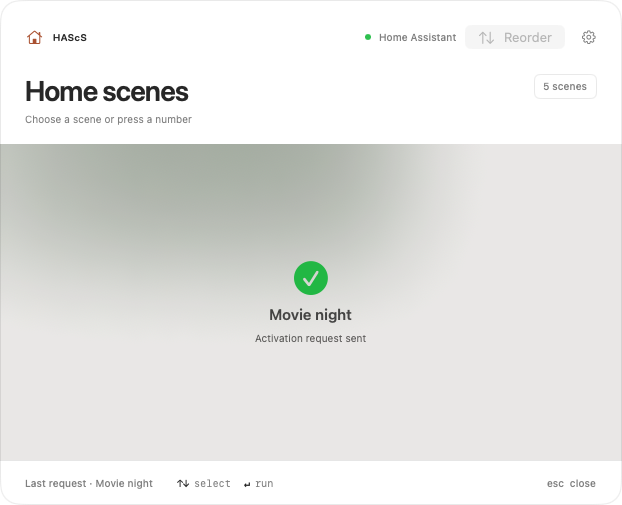
  • HAScS after choosing Movie night: a green check mark and “Activation request sent”.
    A short confirmation that the request was sent.
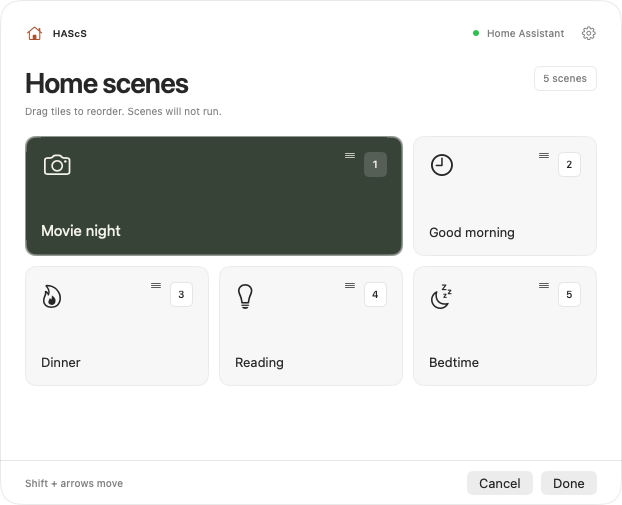
  • HAScS reorder mode: scene tiles with drag handles and Cancel and Done buttons.
    Drag tiles into your own order.
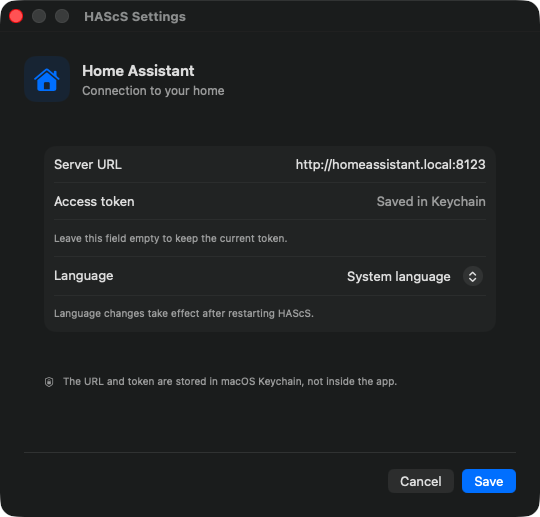
  • HAScS Settings: Home Assistant server URL, an access token saved in Keychain, and the interface language.
    The URL and token stay in Keychain.
01 / Focused

One thing. Done well.

Not an everything app. A useful tool that fits into an ordinary day.

02 / In the open

The code is no secret.

Only public bobuk-io projects are listed here. See how they work and suggest improvements.

03 / In touch

Somewhere to ask.

Each app has its own instructions, support page, and information about data.

Good tools don’t demand extra attention.

And if something goes wrong, let’s work it out.

Get support